Multi-Producer
Overview
A Multi-Producer is a second full copy of Producer, running on another machine and connected to the main one. Both operators see the same show, and every change — a cue moved, a deformation adjusted, a device added, a timeline played — appears on the other machine and on the Media Servers straight away.
Any number of Multi-Producers can join. Typical uses:
- A second operator building boards while the first one works on timelines.
- A calibration operator doing 3D alignment on site, with the full 3D preview, while the show keeps being programmed.
- An operator at the front-of-house position and another one backstage.
The main Producer keeps its usual role: it is connected to the Media Servers, it holds the show file and the media, and it relays everything. A Multi-Producer never talks to a Media Server directly : it sends everything to the main Producer, which passes it on to the servers (and to the other Multi-Producers).
Setup
On the main Producer
Open the show as usual, then check Accept remote commands in File →
Producer Options.
On the Multi-Producer
Start Producer. On the startup screen, choose Multi-Producer:
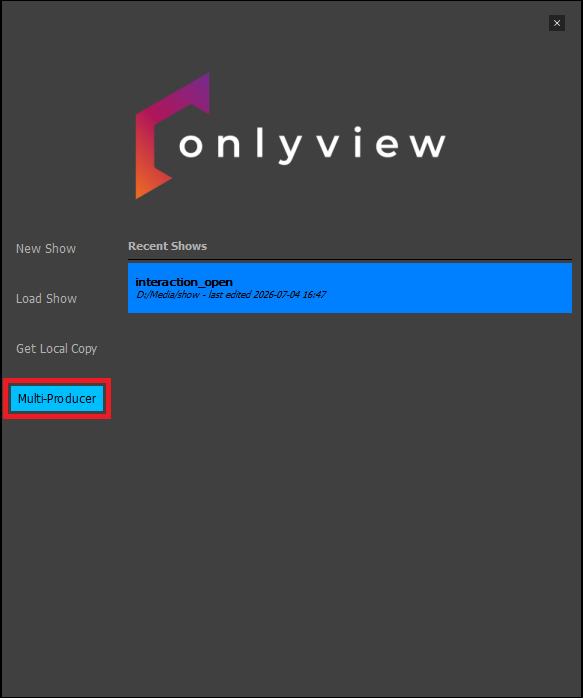
Enter the main Producer's IP address and start. The show and its media are downloaded and the machine then joins the session. From this point on, both machines can control the show.
The downloaded files go into the local cache folder (usually D:/cacheV3/), the
same place a Media Server keeps them. You do not need to create a show folder,
and you should not open a show by hand on this machine.
Info
To save time and make it possible to work on a laptop, movies larger than 100
MB are not downloaded. A placeholder thumbnail will be visible in the preview
instead. If needed, you can force-download it : right-click on
it in the media list and choose Download from master.
Limitations
Almost everything works exactly as on the main Producer: timelines, boards,
cues, deformations, the 2D and 3D previews, devices, ActionGraphs, UserScreens,
QuickKeys. Ctrl-O also works — it is forwarded to the main Producer, which
puts the Media Servers online.
A few actions are not yet available:
- Importing new media. Multiproducers can create new media (Text, SDI inserts, Spout...) but not import file-based media. Currently, this needs to be done from the Main Producer.
File→New,Open,Open Recent,Save As,GetLocalCopy,Archive,Import show,Consolidate. A Multi-Producer works on one show and cannot switch to another.
Good practice
Although multiple operators can work on the same Timeline, especially with the Dual Locator, it is safer to work on different "areas" of the shows: different rooms of the exhibition, or different timelines (content VS show control), etc.