Timelines
Basic usage
Onlyview shows are organized using timelines. A timeline contains multiple cues, which will be played sequentially.
Timelines contain multiple layers: you can play multiple cues at the same time.
A show contains multiple timelines, that can be re-arranged.
Special cues can automatically play, pause, or jump on the timeline.
The red locator shows where the currently-edited timeline is playing. The "current time" is known as the timecode.
Cues
Cues allow you to play video and audio content. They lay on the timeline and must also be positioned and adjusted in the 2D preview.
To create a cue, drag&drop a media from the media list to the timeline.
The cue can then be moved in time, rescaled, and offer multiple options, like opacity, color, playback speed, etc. All cue parameters are described in the Media Cues chapter; the next section only covers what is specific to editing cues on a timeline.
Layers
Timelines are organized in layers. Layers are used to play multiple cues at the same time. This is useful in many cases. Examples include:
-
Playing a different media in each Media Server. For instance, the main media in the center, and a camera feed on the sides.
-
Overlaying multiple media. For instance, when compositing multiple layers using alpha transparency.
-
Complex deformations. In a 2D workflow on complex surfaces, deformations often need to be done in multiple pieces; each small piece of deformation can be done using a separate cue.
-
Complex masks. On complex surfaces, simple softedges are not sufficient, and multiple small softedges must be manually added to finetune the result.
The add/delete buttons can create and remove layers from the current timeline.
Multiple timelines
A single show can contain multiple timelines, each playing at a different timecode.
To add a new timeline, go to Objects->timelines->right click->create timeline.
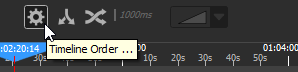
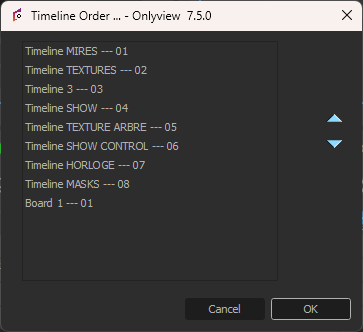
The timelines are drawn sequentially, from left to right in Producer's order. This order can be rearranged using the Timelines Setup dialog.
Timeline can be turned on and off. They also have a grandmaster, which handles the opacity of the whole timeline.